


Pre-Tax Administration
We're an industry leader in administering FSAs, HSAs, HRAs, and Commute Plans.

Plan Design & Documentation
You may choose to offer debit cards, the mobile app, and reimbursement via direct deposit or check.
Vita prepares the Plan Document, Summary Plan Description, Discrimination Testing and Reporting, and IRS Form 5500 filing.
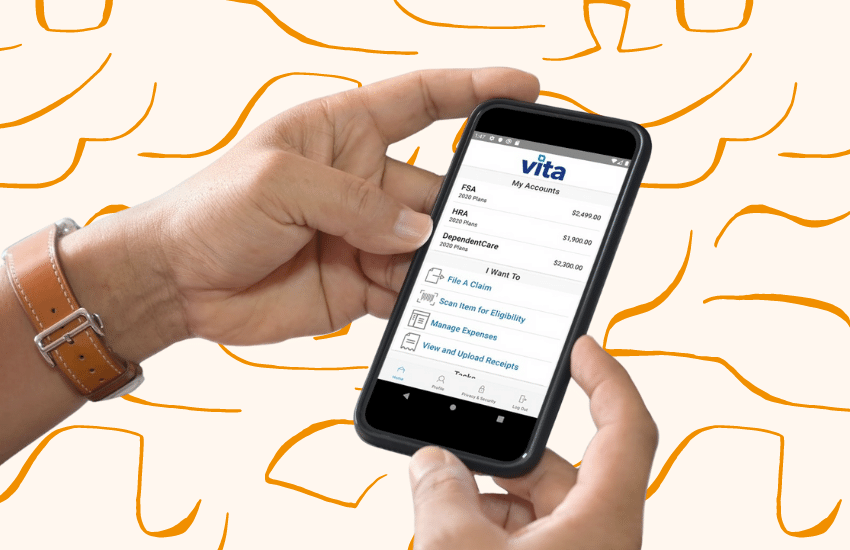
Vita Flex Portal & Mobile App
The portal and mobile app allow for employees to manage their accounts easily from home and on the go. Take a picture with your smart phone and submit a claim with the touch of a button. The portal also houses tools and resources to help employees get the most out of their tax advantaged accounts.

Reporting
Participant Reporting
Throughout the year, each participant will receive Quarterly Statements, Reminder Letters, and an Annual Statement notifying them of the status of their account.
Employer Reporting
Employers receive scheduled reports to help keep tabs on the plan administration and banking processes. They also have access to the online employer portal where they can run these reports as desired.

Commute Plans
Vita Commute administers transportation solutions in more than 140 metropolitan areas in all 50 states, as well as Washington, D.C. and Puerto Rico.
We offer the largest selection of fare media options in the industry, including transit passes, fare tickets, SmartCards, debit cards, vanpool vouchers, direct pay to parking providers, cash reimbursement, and bicycle vouchers.

On-Site Customer Service Center
Vita provides comprehensive and personal support to participants via telephone and email through our on-site Customer Concierge, available Monday to Friday from 8:00 a.m. to 5:00 p.m. PT.